
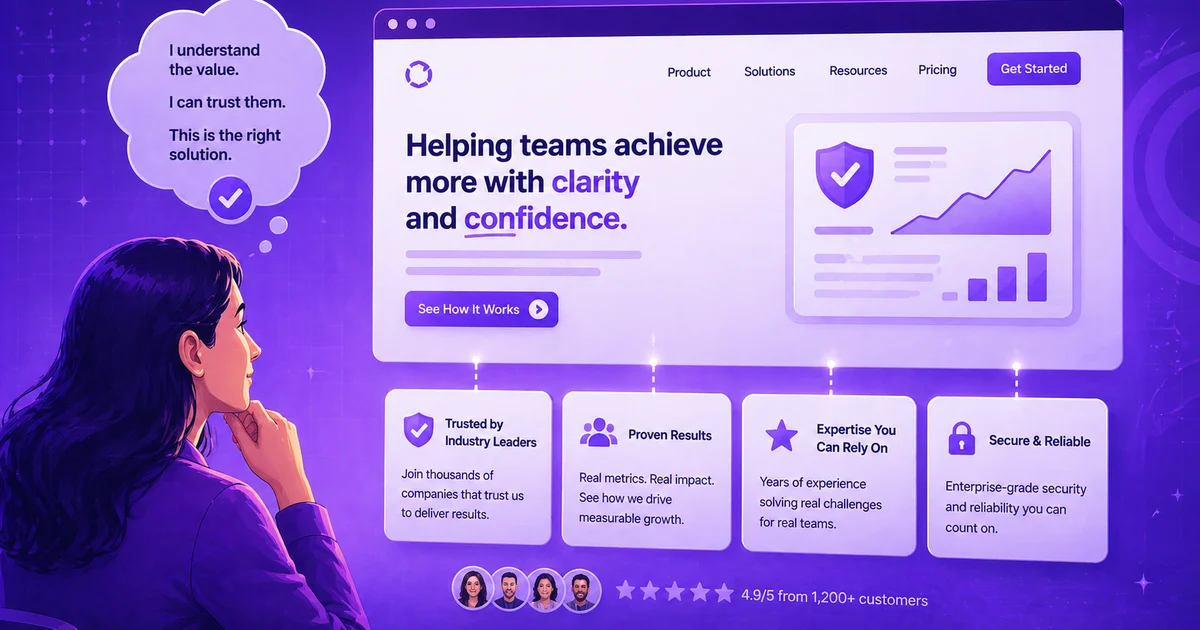
Your website has exactly 0.05 seconds to make an impression before visitors decide whether to stay or leave. That's not a typo -- half a second is all you get. In that split second, potential customers are scanning for signals that tell them whether you're trustworthy, professional, and worth their time. Miss this moment, and you've lost them forever.
Website trust signals are visual and functional elements that immediately communicate credibility, security, and reliability to visitors within seconds of landing on your site. The most effective combinations include SSL certificates, visible contact information, customer testimonials, and professional design elements that work together to reduce visitor anxiety and increase conversion rates.
Why Trust Signals Matter More Than Ever
Every day, potential customers land on websites that look professional but fail to convert. The reason isn't usually poor design or unclear messaging -- it's missing trust signals. These are the elements that bridge the gap between visitor curiosity and customer confidence.
Think about PayPal's approach. They prominently display security certifications and payment provider badges across their checkout pages, directly addressing the 19% of cart abandonments driven by payment security concerns. Their recognizable logo serves as both explicit social proof and an implicit credibility marker. This isn't accidental -- it's strategic trust building.
The stakes are higher than most business owners realize. With 83.6% of sales lost to cart abandonment, and nearly a fifth of those losses stemming from trust issues, your website's credibility directly impacts your bottom line. But here's the opportunity: most businesses focus on design aesthetics while ignoring the specific elements that actually build trust.
The Essential Trust Signal Categories
Security Signals That Actually Work
SSL Certificates and HTTPS Protection: This isn't optional anymore. Beyond the obvious security benefits, HTTPS now contributes to SEO rankings. Google actively sends visitors to warning pages for non-HTTPS sites, making this both a trust and visibility issue.
Recognizable Security Badges: Position security seals from providers like Norton or McAfee near sign-up forms and checkout buttons. The key is recognition -- use badges from companies your visitors already know and trust.
Payment Security Indicators: Multiple payment options signal flexibility and reliability. When customers see familiar payment providers like PayPal, Apple Pay, or major credit card logos, they're more likely to complete transactions.
The effectiveness comes from placement strategy. Shopify demonstrates this well by integrating SSL certificates, trust badges, and security seals throughout their platform and merchant sites, creating multiple touchpoints where visitors encounter credibility markers.
Social Proof That Converts
Customer testimonials work best when they feature recognizable clients discussing specific results. Generic praise doesn't build trust -- detailed outcomes from named customers do. HubSpot excels at this by combining customer case studies with industry certifications and responsive support options across their marketing materials.
Third-party validation carries more weight than self-reported systems. Businesses displaying Trustpilot reviews and ratings address the research finding that seals of approval from third-party organizations generate higher trust than internal rating systems. The external validation removes the bias question that visitors naturally have about self-reported testimonials.
Reviews and ratings should be recent, specific, and varied in their focus. Some should highlight customer service, others should emphasize product quality or delivery speed. This variety addresses different visitor concerns while maintaining authenticity.
Contact Information and Accessibility
Visible Contact Details: Phone numbers, physical addresses, and email addresses should be easily findable. This seems basic, but many websites bury contact information in footer links or separate pages. Visitors want to know they can reach you if something goes wrong.
Live Chat and Support Options: Immediate accessibility builds confidence. Even if you're not staffed 24/7, showing available support hours and response time expectations manages visitor expectations while demonstrating commitment to customer service.
About Page Authenticity: Real team photos, founder stories, and company history create human connections. Custom photography outperforms stock imagery for building familiarity -- visitors can tell the difference between authentic and generic visual content.
Implementation Strategy by Business Type
For E-commerce and Retail
Security signals matter most for businesses handling transactions. Focus on SSL certificates, payment badges, and return policy clarity. Your checkout process should display multiple trust signals without cluttering the interface.
Enterprise buyers respond better to compliance badges and industry partnerships, while individual consumers prioritize customer reviews and social proof. Segment your trust signal strategy based on your primary audience's concerns and decision-making patterns.
For Service Providers and Consultants
Professional credentials, client testimonials, and industry associations carry the most weight. Your expertise needs external validation -- certifications, speaking engagements, and media coverage all contribute to authority building.
Case studies with specific client outcomes work better than generic testimonials. Instead of "Great service, highly recommended," aim for "Increased our conversion rate by 40% in three months using their messaging framework."
For SaaS and Technology Companies
Technical audiences scrutinize security and compliance more carefully. GDPR and CCPA compliance notices are essential, particularly for businesses collecting user data from EU or California residents. Display these prominently rather than hiding them in privacy policies.
Uptime guarantees, data backup protocols, and integration partnerships signal reliability and technical competence. Your audience understands these elements and evaluates them carefully during consideration phases.
The Technical Foundation
Site Performance as Trust Signal
Fast loading pages and good cross-device user experience form the foundation of digital trust. Visitors interpret slow sites as unprofessional or potentially problematic. Simple, easy-to-navigate layouts with compelling headlines and concise content support trust building without overwhelming visitors.
Mobile optimization isn't just about responsive design -- it's about maintaining trust signal visibility across all device types. Security badges that display clearly on desktop but disappear on mobile defeat their purpose.
Domain and Navigation Credibility
.com and .co.uk domains garner more trust than other TLDs. This matters more for newer businesses without established brand recognition. Avoid 404 pages, include site maps, and maintain regularly updated content to signal active management and attention to detail.
Clear navigation structure reduces visitor anxiety by making information easy to find. If someone can't quickly locate your pricing, contact information, or service details, they're more likely to leave than dig deeper.
Advanced Trust Signal Strategies
Layered Trust Building
The most effective approach combines multiple trust signals rather than relying on single elements. HubSpot demonstrates this by layering professional design, visible contact information, industry certifications, customer case studies, and responsive support options throughout their website experience.
Each page should include at least three different types of trust signals. Your homepage might feature security badges, customer testimonials, and contact information. Product pages could display guarantees, technical specifications, and user reviews.
Audience-Specific Customization
Different visitor segments respond to different trust signals. Track post-conversion behavior to identify which elements drive faster conversions and lower churn rates. Enterprise buyers might prioritize compliance and partnership badges, while individual customers focus on reviews and guarantee information.
Consider implementing dynamic trust signal display based on traffic source or visitor behavior. Someone arriving from a security-focused search might see more prominent security badges, while social media referrals might encounter more social proof elements.
What the Data Says
Website visitors form opinions in 0.05 seconds, according to web conversion research. This means your trust signals must be immediately visible and recognizable, not buried in secondary pages or fine print.
83.6% of online sales are lost to cart abandonment, with 19% of abandonments specifically attributed to payment security concerns. This represents billions in lost revenue that proper trust signals could recover.
Third-party validation outperforms self-reported ratings in neuroimaging studies measuring trust response. External seals and certifications generate stronger confidence signals than internal testimonial systems.
HTTPS encryption now impacts SEO rankings beyond customer trust factors. Google prioritizes secure sites in search results, making SSL certificates both a conversion and visibility necessity.
Frequently Asked Questions About Website Trust Signals
Q: How many trust signals should I include on my homepage?
Include at least three different types, but don't overcrowd the design. Focus on the most relevant signals for your audience -- security badges for e-commerce, testimonials for services, or certifications for professional practices.
Q: Do trust signals work the same way across all industries?
No, different audiences prioritize different trust elements. Technical buyers scrutinize security compliance, while consumer audiences focus more on reviews and guarantees. Research your specific audience's primary concerns.
Q: Should I display all my certifications and badges prominently?
Only display recognizable certifications that your audience values. Too many unknown badges can appear desperate rather than credible. Choose quality over quantity.
Q: How often should I update customer testimonials?
Refresh testimonials quarterly to maintain relevance and authenticity. Include recent dates and vary the focus areas -- some highlighting customer service, others emphasizing results or product quality.
Q: Can too many trust signals hurt conversions?
Yes, overcrowding reduces effectiveness by creating visual clutter and decision paralysis. Strategic placement of relevant signals works better than comprehensive display of every possible trust element.
Key Takeaways
- Speed matters critically -- you have 0.05 seconds to establish credibility through immediately visible trust signals like SSL certificates, contact information, and recognizable security badges.
- Layer multiple trust types rather than relying on single elements -- combine security signals, social proof, and accessibility indicators to address different visitor concerns simultaneously.
- Match trust signals to your audience -- enterprise buyers prioritize compliance and partnerships, while individual customers focus on reviews and guarantees, so customize your approach accordingly.
- Placement strategy determines effectiveness -- position security badges near forms and checkout areas, display testimonials prominently on service pages, and ensure contact information is easily accessible from any page.
- Measure trust signal performance by tracking conversion rates and post-purchase behavior to identify which elements drive actual business results rather than just aesthetic appeal.
How Your Brand Blueprint Can Help with This
Your Brand Blueprint's Credibility, Proof & Transformation section specifically addresses trust building by identifying the exact credibility statements and proof points that resonate with your ideal clients. This section helps you choose the most effective trust signals based on your audience's specific concerns and decision-making patterns, rather than guessing which elements might work.
Ready to put this into practice? BrandBlueprint.ai builds your complete brand messaging strategy -- including the section that covers exactly what we talked about here.